Sep 13, 2026

Author : Dr. Nitu Verma (P.T)

Almost every week somebody holds a phone up to me with a photo of an office chair on it. Mesh back, headrest, adjustable arms, eleven or twelve thousand rupees. They want me to say yes before they pay.
I usually ask when they last stood up.
That irritates people and I understand why. They came for a shopping decision and got a question instead. But I've watched enough patients spend real money on a chair and walk back in six weeks with exactly the same neck. Office ergonomics in Bhilai gets sold as furniture when most of it is behaviour and a few hundred rupees of height adjustment.
The things that actually bring desk pain down cost almost nothing. A stack of books. An external keyboard. A rolled towel. An alarm on your phone.
At Life360 Chiropractic Centre in Smriti Nagar, desk-related neck and back pain is one of the most common reasons people come through the door. Office staff, accounts people, students, engineers who spend their day in a plant office, anybody whose working life happens in front of a screen. They come from across Bhilai and from Durg, and the complaint is close to identical every time.

The one rule everything else sits under

No posture is harmful. Staying in one for hours is.
I was slow to accept this. I trained in an era of perfect spines drawn on charts, and for years I told patients their pain came from sitting badly. Then you meet enough people with textbook posture and screaming necks, and enough slouchers who feel completely fine, and the story stops holding together.
The body tolerates a wide range of positions. What it doesn't tolerate is being held still. Tissue needs the load on it to change through the day, on and off, or it starts complaining.
Someone with a perfect setup who doesn't move for three hours will develop symptoms. Someone with an average setup who gets up every half hour usually won't.
Which is why the timer matters more than the chair.

How often should you get up from your desk?

Every thirty minutes, for one to two minutes. That single habit does more for desk job back pain in Bhilai than any chair on the market.
You don't need to leave the desk to do it. Stand. Walk to fill your water bottle. Take a call on your feet. Stand up and arch backwards a few times and sit down again.
Ways to make it actually happen: set a phone reminder for the first two weeks until it stops needing one, drink water regularly so your body forces the break, take every phone call standing, and stand for anything you're reading rather than typing.
Here's the part people don't want to hear. In an office where nobody else moves, standing up every half hour feels like you're announcing that you're not working. Patients tell me this and they're not wrong about how it looks. Do it anyway. Nobody who's ever been off work for three weeks with a disc has told me they wished they'd stayed in the chair longer.
Sitting all day back pain is a dose problem before it is a posture problem.

Setting the desk up, starting at the floor

A good workstation setup is built from the floor upwards, because where your hips sit decides everything above them.
Feet flat on the floor, or on a footrest. If the chair is at the right height for the desk and your feet dangle, you need something under them. A stack of books, a cardboard box, an old stool. It doesn't need to be a product.
Hips slightly higher than the knees. This one is wrong more often than anything else on the list, and it's the one I'd fix first in most people's setups. When the hips sit lower than the knees, the pelvis rolls backwards, the inward curve of the lower back flattens out, and disc pressure goes up. Raise the seat. Or tilt it very slightly forward. The change is immediate and it costs nothing, and I've had patients whose afternoon backache halved from that adjustment alone.
Lower back supported so the natural inward curve stays there. A proper lumbar support is fine. A rolled towel at belt level does the same job for free, and I'd rather you spent the money on the laptop stand.
Elbows at roughly ninety degrees when you type, tucked close to the body, shoulders down and relaxed. A desk that's too high lifts the shoulders, and then the upper trapezius works non-stop for eight hours. That muscle is behind a great deal of the upper back and neck pain I see.
Wrists straight and neutral. Not bent up, not angled off to one side. Keyboard flat on the desk, and those little legs that tilt it upwards are better folded down.
Screen with its top edge at roughly eye level, about an arm's length away, directly in front of you. Not off to one side. A screen sitting at an angle means your neck is rotated for the entire working day, and that gives you symptoms on one side, reliably, every time.
Keyboard, mouse, phone and notepad all close enough to reach without stretching. Reaching repeatedly for a mouse that's too far away is a real contributor to shoulder and neck pain, and it's invisible to the person doing it.
While I'm on things that are invisible to the person doing it: check where the air conditioning vent is. I've had two or three patients a season with a stubborn one-sided neck and shoulder ache that turned out to be a vent blowing cold air onto that shoulder for eight hours. Moving the desk two feet did more than I did. Anyway, back to the setup.

How do I set up a laptop so it stops hurting my neck?

Raise the screen to eye level on a stand or a stack of books, then plug in a separate keyboard and mouse at elbow height. Laptop posture cannot be fixed any other way.
A laptop cannot be ergonomically correct on its own. The screen and the keyboard are bolted together, so either the screen is too low or the keyboard is too high. There is no position where both are right.
The fix is cheap. Raise the laptop on a stand, or on books, until the top of the screen reaches eye level. Then plug in a separate keyboard and mouse and put those at elbow height.
If you have a thousand rupees to spend on your back, spend it here. Not on the chair. That's a firm opinion and plenty of people will disagree with me, including the man selling the chair.
Never work with a laptop on your lap or on a low table for hours at a time. It produces the most extreme forward head and rounded shoulder position of any working posture I see.

Why is working from home worse for my back?

Because nobody designed the home desk. Work from home back pain in Bhilai is usually a dining chair, a laptop on a table, and no reason to stand up all day.
Home setups tend to be worse than office ones because they were improvised in one week years ago and never looked at again.
Dining table with a chair at the wrong height. Sofa. Bed.
The minimum that works at home: a table and chair at sensible heights, the laptop raised with a separate keyboard, a cushion or rolled towel behind the lower back, a footrest if your feet don't reach, and enough light that you're not leaning towards the screen to read it.
Working from the bed is the worst of the common options. If you change nothing else in this article, stop doing that one.

Are standing desks worth the money?

They help, but only because they let you alternate. Standing still for hours has its own risks, so a standing desk you never lower is a different problem, not a solution.
Prolonged standing is an established risk factor for low back pain, and it brings leg fatigue and swelling with it.
The benefit lies in alternating. Roughly every thirty to sixty minutes, switch. And while standing, put one foot up on a footrest or a low box, then swap sides after a while.
No standing desk? Standing for phone calls and for reading gets you most of the same variation and costs nothing.

Your eyes drag your neck forward

Eye strain from screens is common, and the connection people miss is postural. When text is hard to read, you lean in. Leaning in is the forward head position that's causing the neck pain.
The 20-20-20 guideline is the usual advice and it's sensible: every twenty minutes, look at something around twenty feet away for twenty seconds.
Worth checking alongside that. Screen brightness matched to the light in the room. Text size increased instead of leaning closer. And an up-to-date spectacle prescription, because progressive lenses in particular force an awkward chin-up neck position at a computer. A separate pair set for screen distance solves that completely, and I suggest it often enough that patients have started telling me their optometrist agreed.

Which desk exercises actually help back pain?

Seven of them, three minutes, twice a day. Chin tucks, shoulder blade squeezes, seated thoracic extension, seated rotation, standing back extension, wrist stretches and neck side flexion.
  • Chin tucks, ten repetitions, held five seconds each
  • Shoulder blade squeezes, ten repetitions
  • Seated thoracic extension, hands behind the head, gently arching backwards over the chair back, five repetitions
  • Seated spinal rotation, holding the chair, turning to each side, five each way
  • Standing back extension, hands on the lower back, gently arching backwards, five repetitions
  • Wrist stretches, twenty seconds in each direction
  • Neck side flexion, ear towards the shoulder, gently, twenty seconds each side
Do them at your desk. Twice. That's it.

When a better chair won't fix it

Some symptoms need someone to examine you, not a cushion. Come and get assessed if you have:
  • Pain travelling down an arm or a leg
  • Numbness or tingling that persists
  • Weakness, or dropping things
  • Pain that wakes you at night
  • Pain that doesn't change with position or activity
  • Symptoms that are there on days you don't work
  • Headaches getting more frequent or more severe
Ergonomics deals with load. It doesn't deal with a compressed nerve, a genuinely stiff joint, or muscles that have got too weak to hold any position at all.
And while I'm being blunt: the standard handling of desk pain in this town is a painkiller, a few days of rest, and a lumbar belt bought over the counter. The belt is the part that tires me. Worn all day for weeks, it lets the muscles that should be doing the job quietly stop doing it, and then people can't manage without it. A belt has its uses for short spells. It isn't a treatment.
I'll also admit the limit of what I know. I can't tell you why some people with genuinely awful setups never develop pain, and why others with careful ones do. Sleep, stress, general fitness, plain luck, probably all of it. Nobody has given me an explanation that survives contact with a full clinic day.

Why people in Bhilai come here for this

Care at Life360 Chiropractic Centre, Smriti Nagar, is directed by Dr. Nitu Verma (PT), a physiotherapist whose later training took in chiropractic and osteopathy. Desk pain gets treated here from both ends. Hands-on work and strengthening for whatever has become stiff and weak, and a proper look at the workstation that made it that way.
Dr. Nitu Verma (PT) at Life360 Chiropractic Centre, Smriti Nagar, Bhilai reviews the actual desk, not a generic diagram, before prescribing anything.
The advice you get is built around your actual desk and your actual budget. Not a list of equipment.
I'll say one more thing that annoys me, since this is the section for it. Corporate ergonomics sessions. Forty slides, a diagram of a spine, everybody nods, nobody's desk changes on Monday. If your company runs one, ask them to come and look at the desks instead.

Book an assessment

If your neck and back ache by every afternoon and feel fine on holidays, an assessment plus a workstation review will tell you what's being loaded and what will change it.
Office ergonomics in Bhilai is assessed at Life360 Chiropractic Centre alongside treatment, so the desk and the tissue get dealt with in the same visit.
Life360 Chiropractic Centre
Opp. Dream Homes, Cross Street 1, Smriti Nagar, Bhilai, Chhattisgarh 490020
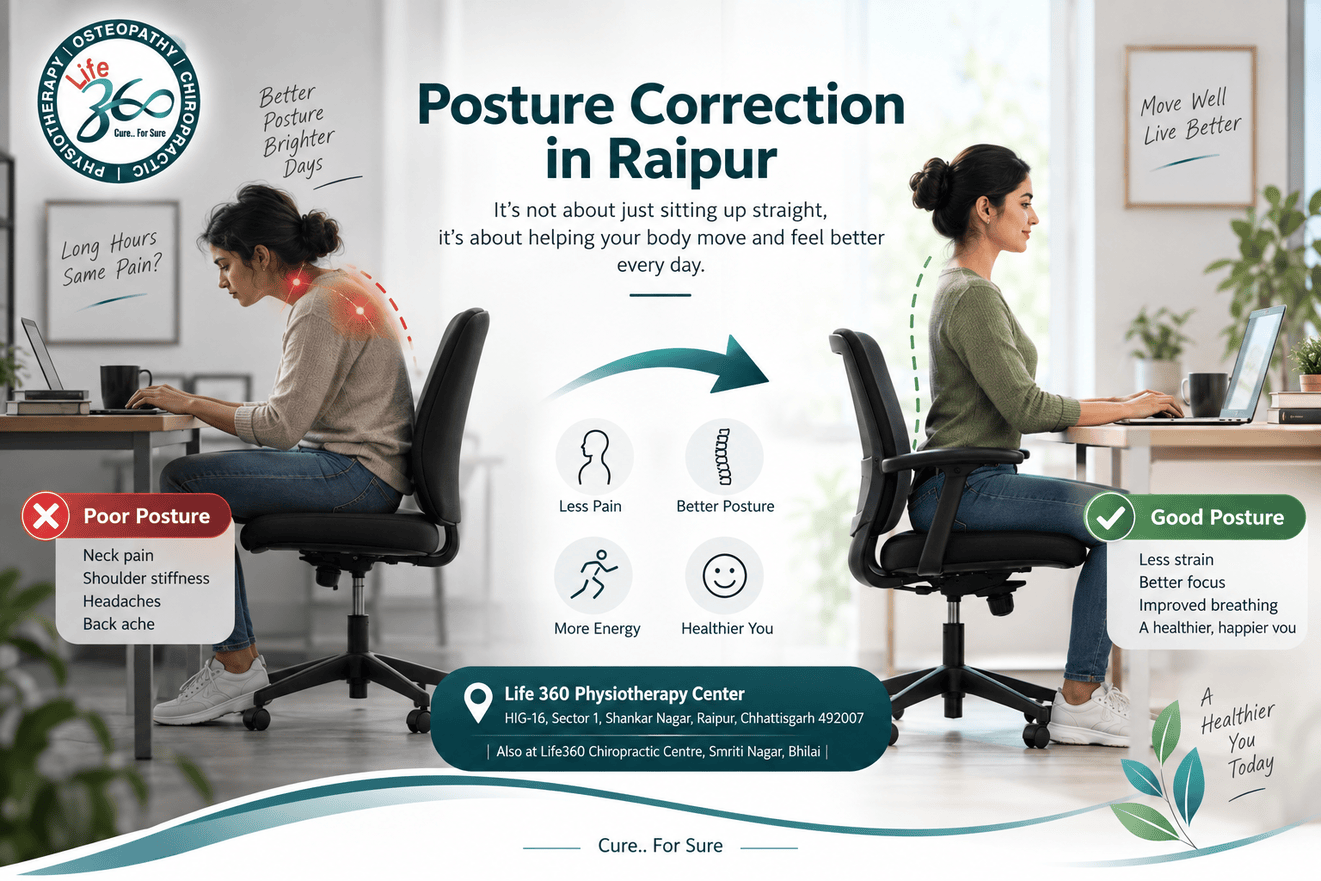
Also at Life 360 Physiotherapy Center, Shankar Nagar, Raipur
Bring a photograph of your desk setup, taken from the side while you're actually working. It tells me more in five seconds than ten minutes of description.

Questions patients ask

What is the single most useful ergonomic change I can make?
Moving. Standing and moving for one to two minutes every thirty minutes beats any piece of equipment, because sitting still for hours is the actual problem.
Is sitting really that bad?
Sitting for long uninterrupted stretches is a problem. Sitting itself isn't. Duration is what does the damage, and you can sit perfectly and still get hurt if you never get up.
How should my screen be positioned?
Top of the screen at roughly eye level, an arm's length away, straight in front of you. A screen off to one side keeps your neck rotated all day.
Do I need an expensive ergonomic chair?
No. A chair at the right height with something supporting the lower back, and a rolled towel does that job, plus regular movement, covers most of it.
How do I set up a laptop properly?
Raise it on a stand or books until the top of the screen is at eye level, then use a separate keyboard and mouse. Best value change available to most people.
Are standing desks worth it?
They're worth it because they let you alternate, not because standing is better for you. Standing for long stretches has its own risks. Switch every thirty to sixty minutes.
Why does only one shoulder hurt?
Usually a screen placed off to one side, or reaching repeatedly to a mouse that's too far away. One-sided symptoms almost always have a one-sided cause sitting on your desk.
Can fixing my ergonomics cure my back pain?
It takes away a big part of what's driving it. If muscles have gone stiff and weak, or a nerve is irritated, you'll need treatment and exercise as well. Ergonomics is what stops it coming back afterwards.
Where can I get a workstation assessment near me in Bhilai?
Life360 Chiropractic Centre, Opp. Dream Homes, Cross Street 1, Smriti Nagar, Bhilai 490020. Patients also come across from Durg for the same assessment.
How long does desk-related back pain take to settle?
Most people feel a clear change within two to four weeks once the desk changes and the treatment start together. If only one of the two changes, it drags on.
 
Go to Top